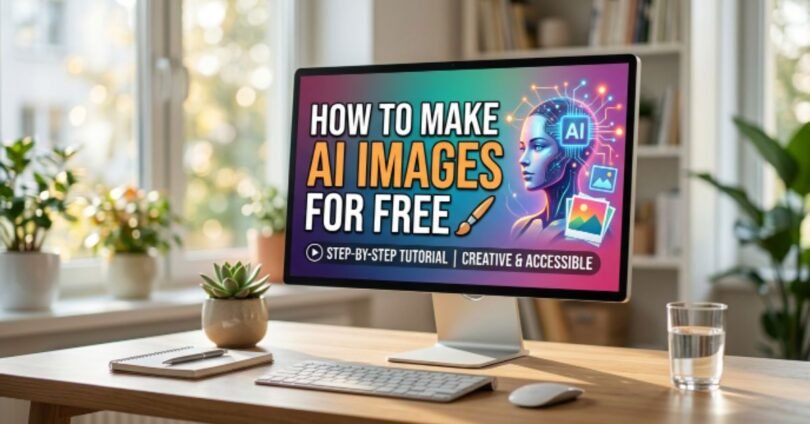
Creating pictures with AI has never been easier. In this guide, you will learn how to make AI images for free even if you have no design experience. AI image tools can turn your ideas into amazing visuals in minutes.
Whether you want graphics for social media, blogs, or personal projects, this article will show step by step how to make AI images for free using the best free tools available.
How to Make AI Images for Free: What You Need to Get Started
Before you start creating AI images, you need a few basic things. These are easy to get and free to use.
Internet Connection
- A stable internet connection helps AI tools work smoothly.
- Slow internet may cause delays while generating images.
- You can use Wi-Fi or mobile data, but Wi-Fi is faster.
Free AI Image Generator
- Choose a free AI image tool like Canva AI, Microsoft Designer, or Google Gemini.
- Most tools only require a free account to start.
- Free tools may have some limits, but they are enough for beginners.
A Simple Text Prompt
- A text prompt is what you tell the AI to create your image.
- Be clear and specific, like “a sunny beach with palm trees.”
- You can experiment with prompts to get different styles and results.
How to Make AI Images for Free Using AI Image Generators
AI image generators make it easy to create unique images from simple text descriptions. You do not need advanced design skills or expensive software. Just enter your idea, and the AI creates an image based on your instructions.
How AI Image Tools Work
AI image tools use artificial intelligence to create pictures from your ideas.
- AI tools are trained on large collections of images and visual patterns.
- They learn how different objects, colors, styles, and backgrounds look.
- When you enter a prompt, the AI analyzes your words and understands what image you want.
- The tool then creates a new image based on the details you provide.
How Text Prompts Turn Into Images
A text prompt is a short description that tells the AI what to create.
- The AI reads your prompt and identifies important details such as objects, colors, and styles.
- It combines these details to generate an image that matches your request.
- More detailed prompts usually produce better and more accurate results.
- For example, instead of writing “cat,” you can write “a fluffy white cat sitting in a garden with colorful flowers.”
Why AI Image Generators Are Easy to Use
Most AI image tools are designed for beginners and require only a few clicks.
- You do not need graphic design experience to create images.
- Most free tools have simple and user-friendly interfaces.
- Images can be generated within seconds after entering a prompt.
- You can create different versions of the same image until you get the result you like.
Tips for Better AI-Generated Images
Small changes in your prompts can improve image quality.
- Be specific about the subject you want in the image.
- Mention colors, backgrounds, and image styles.
- Use clear and simple language in your prompts.
- Test different prompts to discover which results look best.
How to Make AI Images for Free: Best Free AI Image Tools
There are many free AI image tools available. These tools are beginner-friendly and help you create amazing visuals quickly. Here are some of the best options:
ChatGPT Image Generator
Create AI images directly from text prompts using ChatGPT.
- Simple interface for beginners.
- Generates creative images quickly.
- Supports different styles like realistic or cartoon.
- Free version is enough for casual users.
Microsoft Designer
A free AI tool from Microsoft to design images and graphics.
- Offers ready-made templates for faster creation.
- Can create social media posts, banners, and posters.
- Easy drag-and-drop interface.
- Works well for both personal and professional projects.
Canva AI
Popular AI tool for creating images and designs easily.
- Free plan includes AI image generation features.
- Allows editing, adding text, and customizing colors.
- Offers templates for social media, blogs, and marketing.
- Good for beginners with no design experience.
Google Gemini
AI tool from Google for creative image generation.
- Generates high-quality images from text prompts.
- Supports different artistic styles and image types.
- Free to use with a Google account.
- Great for experimenting with new ideas.
Adobe Express AI
Adobe’s free AI tool for quick image creation.
- Easy-to-use interface with professional-quality results.
- Lets you customize images with text and graphics.
- Offers templates for marketing, social media, and blogs.
- Works on desktop and mobile devices.
How to Make AI Images for Free Step by Step
Creating AI images is simple if you follow these steps. Here’s a clear, beginner-friendly guide:
Step 1: Choose a Free AI Image Tool
Pick the AI tool that suits your needs.
- Use tools like Canva AI, Microsoft Designer, or Google Gemini.
- Check if the free version offers enough features for your project.
- Look for a tool with an easy interface if you are a beginner.
- Some tools offer templates to save time.
Step 2: Sign Up or Log In
Create an account to access free AI image tools.
- Most tools require a free sign-up using email or Google account.
- Signing in saves your progress and generated images.
- Free accounts may have limited daily usage, so plan your work.
- Some tools allow instant use without signing up.
Step 3: Write a Detailed Prompt
Your prompt tells the AI exactly what image to create.
- Be clear and specific about what you want in the image.
- Include details like objects, colors, backgrounds, and style.
- Example: “A cute golden retriever puppy playing in a garden with flowers.”
- Experiment with different prompts to get the best results.
Step 4: Generate the Image
Turn your prompt into an AI-generated image.
- Click the generate button after entering your prompt.
- Wait a few seconds while the AI creates the image.
- You may get multiple versions to choose from.
- Select the one that matches your vision.
Step 5: Edit and Download the Image
Make final adjustments and save your image.
- Use built-in editing tools to change colors, add text, or adjust size.
- Make sure the image fits your intended use, like social media or blogs.
- Click the download button to save your image in your preferred format.
- Now your AI-generated image is ready to use for free!
How to Make AI Images for Free With Better Prompts
A good prompt can make a big difference in the quality of your AI-generated images. The more details you provide, the better the AI can understand your idea and create the image you want.
Be Specific
Clear and detailed prompts help AI create more accurate images.
- Describe exactly what you want to see in the image.
- Mention the subject, location, and important details.
- Avoid using short or unclear prompts with very little information.
- For example, write “a brown dog running on a green field” instead of just “dog.”
Mention Style and Colors
Adding style and color details helps create the right look.
- Tell the AI if you want a realistic, cartoon, sketch, or painting style.
- Mention colors you want in the image.
- Add mood details such as bright, colorful, dark, or vintage.
- For example, “a realistic red sports car on a sunny day.”
Add Background Details
Background information makes images look more complete and attractive.
- Describe where the subject should be placed.
- Include details such as mountains, beaches, cities, or forests.
- Mention weather conditions like sunny, rainy, or snowy.
- A detailed background helps the AI create a richer image.
Use Examples
Examples make it easier for AI to understand your vision.
- Include sample descriptions to guide the AI.
- Compare the image to something familiar when possible.
- Mention a specific theme or visual style you like.
- For example, “a cozy coffee shop with warm lighting and wooden furniture.”
Quick Prompt Example
Compare a basic prompt with a detailed prompt to see the difference.
- Basic Prompt: “A cat.”
- Better Prompt: “A fluffy white cat sitting on a wooden chair in a colorful flower garden during sunset.”
- Detailed prompts often produce more realistic and appealing images.
- Testing different prompts can help you discover the best results.
How to Make AI Images for Free for Social Media
AI image generators can help you create eye-catching social media content without hiring a designer. You can make professional-looking images for different platforms in just a few minutes.
Instagram Posts
Create attractive images that help your Instagram content stand out.
- Design unique images for personal or business accounts.
- Create motivational quotes, product photos, and promotional posts.
- Use bright colors and clear visuals to attract more viewers.
- AI tools can help maintain a consistent style across your posts.
YouTube Thumbnails
Make attention-grabbing thumbnails to increase video clicks.
- Create custom thumbnail images based on your video topic.
- Add bold text and attractive visuals to catch attention.
- Use AI-generated backgrounds to make thumbnails look professional.
- Test different designs to see which one gets more clicks.
Facebook Graphics
Design engaging graphics for Facebook pages and groups.
- Create promotional banners for events and special offers.
- Design images for business updates and announcements.
- Use AI tools to generate creative visuals in less time.
- Customize graphics to match your brand or page theme.
Pinterest Images
Create high-quality images that encourage users to save and share.
- Design vertical images that work well on Pinterest.
- Create visuals for blog posts, recipes, and DIY projects.
- Use attractive colors and clear text to improve visibility.
- AI-generated images can help drive more traffic to your website.
Tips for Creating Better Social Media Images
Small improvements can make your social media content more effective.
- Use high-quality prompts to get better image results.
- Keep text simple and easy to read.
- Choose colors that match your brand or content style.
- Create multiple versions and select the best design for each platform.
How to Make AI Images for Free for Business and Marketing
AI-generated images are a cost-effective way to create professional visuals for business and marketing purposes. They save time and make your content more appealing to customers.
Blog Images
Enhance your blog posts with unique and relevant visuals.
- Create images that match your article topic.
- Use AI to make infographics or feature images quickly.
- Add custom visuals to improve reader engagement.
- Save money compared to hiring a professional designer.
Product Mockups
Showcase your products realistically without a photoshoot.
- Generate images of your product in different settings.
- Visualize packaging, colors, and designs before production.
- Create multiple mockups to test marketing ideas.
- Ideal for online stores, catalogs, and presentations.
Advertisements
Design attractive ads for social media, email, and websites.
- Generate eye-catching visuals for promotions and campaigns.
- Include text, colors, and branding elements in your prompts.
- Test different designs to see which performs best.
- Save time and money compared to traditional ad creation.
Website Banners
Make professional banners that improve website appearance.
- Create header images that match your brand style.
- Generate visuals for landing pages, blogs, and products.
- Use AI tools to design banners in different sizes quickly.
- Make your website look more professional and engaging.
Quick Tips for Business and Marketing Images
Small strategies can improve the impact of your visuals.
- Be clear about your brand colors and style in prompts.
- Focus on clarity and simplicity for better engagement.
- Test multiple versions before finalizing an image.
- Use AI images to maintain consistency across all marketing channels.
Common Mistakes When Learning How to Make AI Images for Free
Learning to create AI images is fun, but beginners often make some common mistakes. Avoiding these can help you get better results quickly.
Using Vague Prompts
Short or unclear prompts lead to low-quality images.
- Avoid one-word prompts like “dog” or “tree.”
- Include details like color, background, and style.
- Be specific about what you want to see in the image.
- More detailed prompts help AI create accurate results.
Ignoring Image Size
Choosing the wrong size can make your image unusable.
- Check the recommended size for social media or website use.
- Some AI tools allow you to set custom dimensions.
- Large images are better for printing, small images for web use.
- Always preview the image to make sure it fits your needs.
Not Testing Different Prompts
Using only one prompt limits your results.
- Experiment with different descriptions for better images.
- Slight changes in wording can improve quality.
- Test multiple prompts to find the most visually appealing result.
- Learning from trial and error helps you improve faster.
Overediting Images
Too much editing can make images look unnatural.
- Avoid heavy filters or excessive changes.
- Make small adjustments to maintain image quality.
- Overediting may ruin the style or clarity of AI-generated images.
- Focus on minor tweaks that enhance the image.
Benefits of Learning How to Make AI Images for Free
Creating AI images yourself has many advantages, whether for personal use, social media, or business.
Saves Time
Generate images in minutes instead of hours.
- No need to hire a designer or do complex editing.
- Quickly produce visuals for blogs, social media, or ads.
- Perfect for busy content creators.
- Speeds up the content creation process.
Saves Money
Free AI tools reduce costs for creating visuals.
- Avoid paying for stock images or professional designers.
- Free tools often offer high-quality results.
- Great for small businesses or beginners.
- Budget-friendly way to create multiple images.
Easy for Beginners
Anyone can start making AI images without prior experience.
- Simple tools with step-by-step guidance.
- Requires only a text prompt and basic editing skills.
- No need for graphic design knowledge.
- Intuitive interfaces make learning fast and fun.
Helps Create Unique Content
AI-generated images make your content stand out.
- Create custom visuals that match your ideas perfectly.
- Avoid generic stock images used by others.
- Unique images help improve engagement and visibility.
- Perfect for blogs, social media, marketing, and personal projects.
Conclusion
Learning how to make AI images for free is easier than ever. With the right AI tools and clear prompts, you can create amazing images in just a few minutes.
Whether you need visuals for social media, blogs, business, or personal projects, free AI image generators can help you save time and money. Start experimenting with different prompts today and turn your ideas into unique AI-generated images.